
In the world of audiovisual production, there are many professions related to post-production, often confused by those who don’t work directly in the sector. Among them, two essential positions play a crucial role in ensuring the final quality of a film, series, or video: the editor and the colorist. However, their missions, skills, and importance in the creative chain are quite distinct. In 2025, these professions continue to evolve thanks to the emergence of new technologies and software, such as Adobe Premiere Pro, DaVinci Resolve, and Final Cut Pro, which are becoming essential for producing precise and artistic work. Understanding the difference between these two roles not only allows us to appreciate their complexity, but also to better understand the challenges of post-production in the audiovisual industry today. Whether you’re curious, a professional changing career, or simply passionate about cinema, this exploration offers a precise look at these worlds. Specifically, how do these professions work together to transform raw footage into coherent and aesthetically pleasing visual works? The answer lies in the complementarity between editing and color grading, two inseparable steps in achieving quality work. Let’s discover together what fundamentally distinguishes an editor from a colorist, while understanding their respective roles in the magic of cinema.
Why does the role of an editor differ fundamentally from that of a colorist?
Often perceived as two related professions, the editor and the colorist each have their own specificities and place in the creative process. The former is above all a storyteller, a craftsman of rhythm and editing, while the latter is an image artist, a colorimetry specialist dedicated to enhancing atmosphere and emotion through colorimetry. For example, in a big-budget film, an editor using Adobe Premiere Pro or Final Cut Pro will assemble all the scenes shot scratch by scratch. Their main objective? To construct a clear, fluid, and captivating narrative by selecting and arranging the images in a coherent order. Once this step is completed, a colorist will generally take over, often under the direction of the director, to adjust the colorimetry using tools like DaVinci Resolve.
Another key aspect lies in their training. The editor, often a graduate of film or audiovisual schools, must have a perfect command of storytelling and editing software. The colorist, on the other hand, works after specialized training in colorimetry and postproduction, often in centers offering courses in color grading and digital workflow. The major difference also lies in the purpose of their work. While editing ensures the film’s narrative coherence through cutting, assembly, and pacing, the colorist aims to make each scene aesthetically pleasing, harmonious, and faithful to the director’s artistic vision. Artistic sensitivity can make all the difference in their respective impacts.
The essential technical skills to distinguish the editor from the colorist in 2025
The editor’s profession relies on a thorough mastery of editing software such as Adobe Premiere Pro, Final Cut Pro, Avid Media Composer, and DaVinci Resolve. These tools allow you to cut, assemble, and refine a film, while working with timelines, effects, transitions, and slow motion. For example, managing a project’s workflow with Lightworks or Sony Vegas Pro is often the first step in the creative process, before refining the pacing and storyline.
For their part, the colorist must have in-depth knowledge of colorimetry tools. DaVinci Resolve is now the industry standard for color grading, offering advanced features such as LUT management, precise tonal adjustment, and secondary color correction. Beyond technique, artistic sensibility remains essential, as it’s not just about adjusting parameters, but also about giving each shot an atmosphere, a mood, and even an emotion. Some schools offer color grading training that also includes HDR color grading techniques, or image correction using Baselight or HitFilm Express for those with experience. Mastering these tools allows you to transform a flat image into an expressive and coherent visual work, faithful to the artistic direction.
| Editor Skills 🎬 | Color Grader Skills 🎨 |
|---|---|
| Proficiency in editing software (Adobe Premiere Pro, Final Cut Pro, etc.) | Proficiency in color grading tools (DaVinci Resolve, Baselight, etc.) |
| Narrative awareness and pacing | Artistic ability and aesthetic sensibility |
| Management of complex workflows | HDR color correction techniques |
Professional interactions between editor and color grader
In a typical post-production team, the editor’s work isn’t limited to cutting footage. They must collaborate closely with the colorist to ensure aesthetic and narrative consistency. In practice, once editing is complete, the colorist typically steps in to analyze each scene, adjusting color balance, contrast, and brightness, taking into account the director’s desired mood. For example, in the production of a drama, if a scene needs to evoke a cold or melancholic atmosphere, the colorist can modify the overall tone based on the cinematographer’s instructions, via an HDR-calibrated workflow.
This collaborative work requires clear and precise communication. Some software, such as DaVinci Resolve, allows for the development of a workflow that seamlessly integrates the two disciplines, with shared timelines and compatible files. The key here is a mutual understanding of technical and artistic constraints: the editor must respect narrative continuity, while the colorist must preserve visual consistency. Sometimes, this step can also evolve into a quality control phase. The proximity between editor and colorist fosters a certain artistic sense, but also the ability to quickly correct inconsistencies or defects. A good example of successful collaboration is that of certain major film studios, where colorimetry is a strong aesthetic signature, as is the fluidity of the editing. To meet these challenges, some positions also combine digital workflow management or technical supervision, whether for film postproduction, series, or even platform videos like YouTube or TikTok.
Discover our powerful editor, designed to simplify your content creation process. Ideal for writers, developers, and creators, this tool offers advanced features, an intuitive interface, and multi-format support to bring your ideas to life.
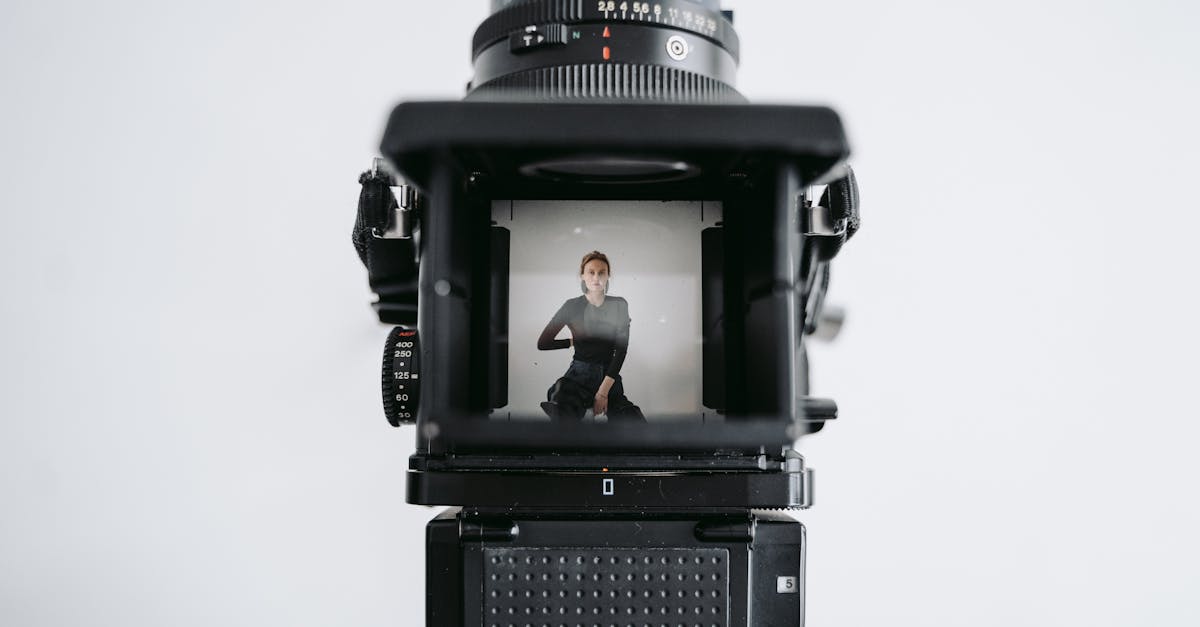
In 2025, the editor profession is often considered a pivotal position in the audiovisual production chain. Depending on the sector, compensation can vary enormously. A beginner can earn between €1,800 and €2,800 gross per month, working for television studios or production companies. With experience, particularly for film or streaming works, salaries can climb to €5,000 gross monthly or more for certain recognized profiles.
A colorist, on the other hand, enjoys increased recognition if their colorimetry skills are exceptional. Starting salaries often range around €2,000 gross, but can quickly increase if you become a technical manager or postproduction director. Some experienced freelancers charge twice as much per day, depending on the complexity of the projects. As the market is booming, there are also opportunities to advance to positions as a postproduction manager or digital workflow consultant for large companies or training institutions like this film school.
Salary 💰 Progression 🚀Starting: €1,800 – €2,800 gross / month
| Technical manager, postproduction manager, director | Experienced: up to €5,000 gross / month |
|---|---|
| Independent consultant, trainer, or workflow expert | Key training and skills to become an editor or colorist in 2025 |
| To access these professions in 2025, specialized training is essential. Film and audiovisual schools offer programs in editing and postproduction, often providing a level 6 RNCP qualification. These programs cover both the theory and practice of digital editing, with a focus on software used in the profession such as Adobe Premiere Pro, Final Cut Pro, Sony Vegas Pro, and Lightworks. Color grading training also requires mastery of dedicated tools such as DaVinci Resolve, Baselight, and HitFilm Express, to develop a sharp artistic eye. Proficiency in editing software: Adobe Premiere Pro, Final Cut Pro, Avid Media Composer, Lightworks | Colorimetry and image correction skills: DaVinci Resolve, Baselight |
Training in digital workflows and audio-video workflow management
Artistic sensibility for interpreting narrative intentions
- Practical experience with software like Filmora or Camtasia can also be a good springboard for learning the basics of editing. At the same time, it’s essential to stay up-to-date on HDR or SDR standards, as well as technological developments, to adapt to market demands in 2025. Continuing training and specializing in colorimetry or digital workflows are key to quickly advancing in this dynamic industry. To learn more, please consult this training sheet.
- Future challenges for editing and color grading professionals in 2025
- With the constant advancement of artificial intelligence and digital tools, the editor and colorist professions will undergo even greater transformation in the coming years. The ability to integrate automated elements while maintaining a strong artistic component will be a major asset. For example, some AI software already offers editing or color grading suggestions, saving time and optimizing creativity. However, technical expertise and artistic sensitivity will remain essential to stand out.
- Integration of AI tools to improve speed and accuracy
Continuing training to master new software and workflows Adaptability to the evolving streaming and VR marketFocus on ethics and digital rights management
These are all challenges that require constant technological monitoring and flexibility in project management. The key to success lies in the ability to combine technical skills, artistic flair, and adaptability to change. Moreover, some post-production professionals also train in team management and supervision techniques, as detailed in this fact sheet, to effectively manage complex projects.
Frequently asked questions about the difference between an editor and a colorist
- Which skill is more difficult to master: editing or colorimetry?
- Each requires specific skills, but colorimetry requires a more advanced artistic sensibility, while editing requires advanced technical mastery and a good understanding of storytelling.
- Can you do both jobs at the same time?
- Yes, some versatile professionals combine the two roles, particularly in small organizations or as freelancers. This allows them to ensure the coherence of their artistic project as a whole.
What are the main software programs used by each profession? Editors favor Adobe Premiere Pro, Final Cut Pro, or Avid Media Composer. Colorists focus on DaVinci Resolve, Baselight, or HitFilm Express.Does the salary increase quickly?
Very quickly, especially with experience or specialization in colorimetry. The strong demand in 2025 favors significant advancement for experienced professionals.
- Is specific training required to become a colorist?
- Yes, specialized courses in colorimetry and digital workflow are essential to master the dedicated tools and acquire the necessary artistic sensitivity.